




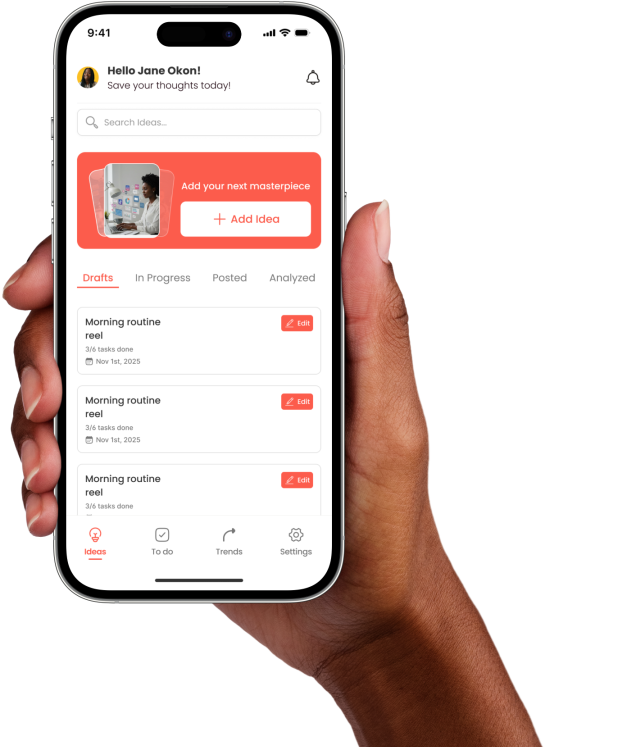
Features
Everything you need to create, plan, and win.

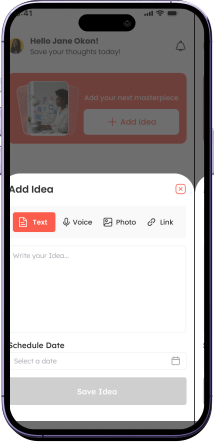
Quick Add Feature
Capture ideas before they disappear.
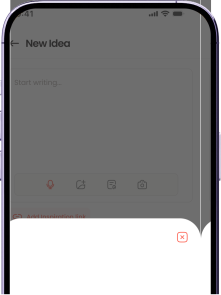
Record ideas on the go
Speak your ideas, will save it before it disappears
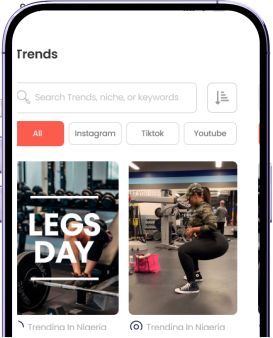
Trends
Stay inspired with curated, real-time trends.
Create Content To dos
Your entire content process in one checklist
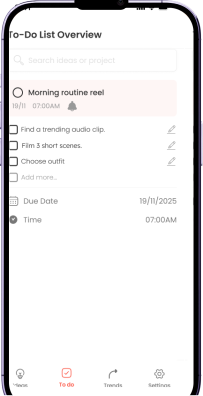
Create Content To dos
Your entire content process in one checklist
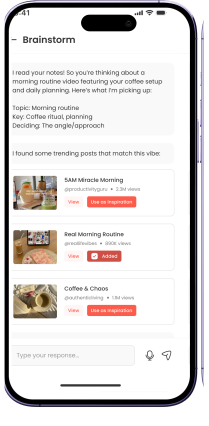
Brainstorm ideas with AI
Your creative assistant, always on, always ready
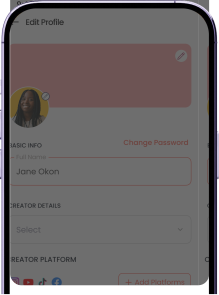
Add Social media Platforms
Easily sync to social media account.
How it works
The System That Puts Creators Front and Center
Personalize Your Experience
Start by connecting the social media accounts you create for—or skip if you want to explore first.
Add Ideas
Capture inspiration your way—type, voice note, or drag in media. Add ideas however it’s easiest for you.
Track Ideas
Keep all your ideas in one place. Tag, organize, and monitor progress so nothing gets lost, and you always know what’s next.
Post Directly
Send your content straight to the social platforms you manage. From planning to posting, it’s seamless and stress-free.
TESTIMONIAL
Loved by creators everywhere

@Simi Sanya
Ideahub brought clarity to my creative process. I feel more in control of my content than ever.

@Eunice
The Trends helps me stay relevant without feeling overwhelmed. I know exactly what topics my audience will connect with each week.

@Biola
The AI Brainstorm is my silent collaborator. When I'm out of ideas, IdeaHub throws me five more.
@Simi Sanya
Ideahub brought clarity to my creative process. I feel more in control of my content than ever.
Frequesntly Asked Questions
Need Clarity? Start Here
The app gives you one organized space to capture, structure, and manage all your content ideas. Instead of scattering thoughts across multiple apps, you can store everything in one workflow where ideas become clear, trackable, and actionable.
Yes! The app allows you to organize your ideas into a comprehensive content calendar. You can schedule posts, track deadlines, and visualize your content strategy over days, weeks, or months, all in one centralized location.
Absolutely! The app provides flexible categorization options, allowing you to organize your ideas by topic, platform, project, or any custom categories that fit your workflow. This makes it easy to find and manage related ideas.
An internet connection is required for syncing your ideas across devices and accessing cloud features. However, you can work offline and your changes will sync once you're back online.
Yes, the app supports collaboration features that allow you to share ideas, work on projects together, and collaborate with team members or partners in real-time.
The app offers both free and premium plans. The free version includes core features for organizing and managing ideas, while premium plans unlock advanced features like AI brainstorming, advanced analytics, and priority support.